
GovCon CRM — Pipeline & Pursuit Tracking
Manage and Monitor Your Contract Pipeline Capture to Award
Track every contract opportunity from capture to submission with live solicitation data, a custom Kanban and Calendar pipeline, amendment alerts, and team collaboration—without platform overload.



















Full Pipeline Visibility
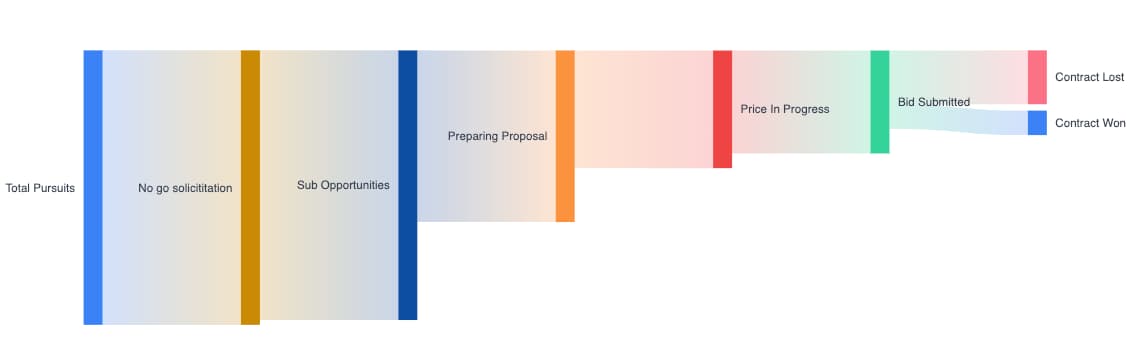
See Your Entire Pipeline at a Glance
Visualize every pursuit from capture to award in a single funnel view. Track win rates, phase distribution, and total pipeline value — so you always know where your opportunities stand and where to focus next.
Pipeline funnel shows opportunity distribution across every phase
Track win rate, total pursuits, and phase counts in real time
Switch between count and dollar value views instantly
Filter and drill down into any stage to see individual pursuits
Kanban, List & Calendar Views
Organize Contracts Your Way
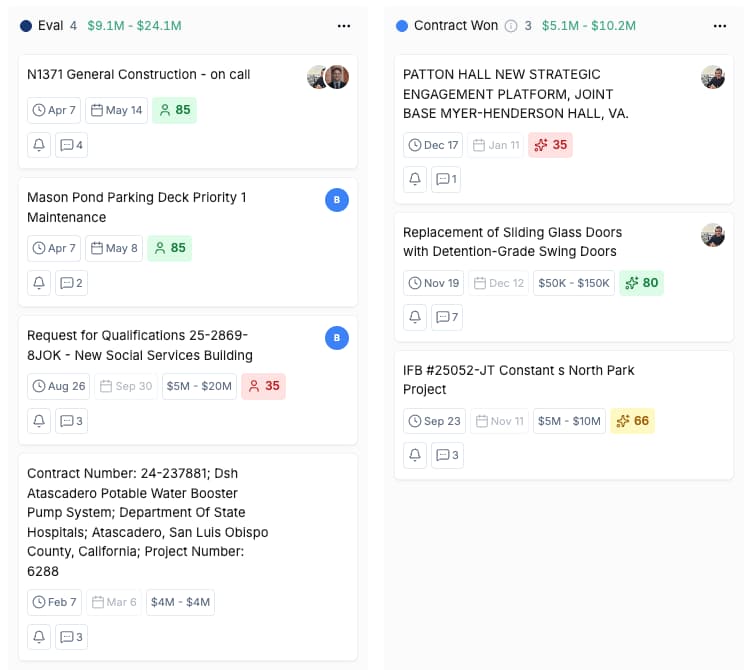
Drag and drop contracts across custom columns in Kanban view, scan everything in list view, or plan around deadlines in calendar view. Create custom views with filters, grouping, and sorting tailored to how your team works.
Kanban board with custom columns mapped to your pipeline phases
Drag and drop pursuits between phases as they progress
See deadlines, estimated value, team members, and match score on each card
Switch between Kanban, list, and calendar views with one click
Real-Time Alerts & Notifications
Never Miss a Critical Update
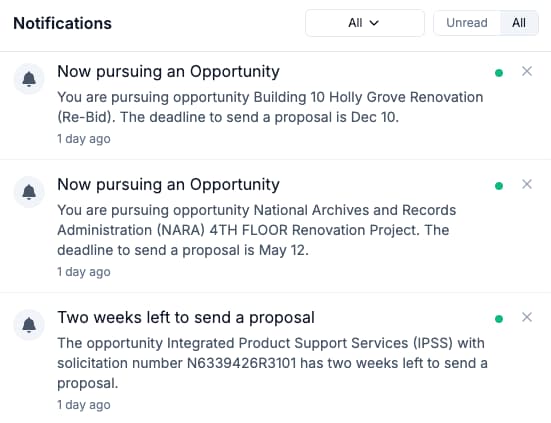
Get instant alerts when you're assigned to a pursuit, deadlines approach, amendments are released, or teammates tag you. CLEATUS automatically tracks amendments, modifications, and cancellations — so your team stays informed without manual monitoring.
Automatic amendment and modification alerts on tracked pursuits
Deadline reminders at two weeks, one week, and approaching due dates
Assignment notifications when added to a pursuit or task
Cancellation alerts so you never waste time on dead opportunities
Collaborate Without Switching Apps
Stay Aligned Across Your Team
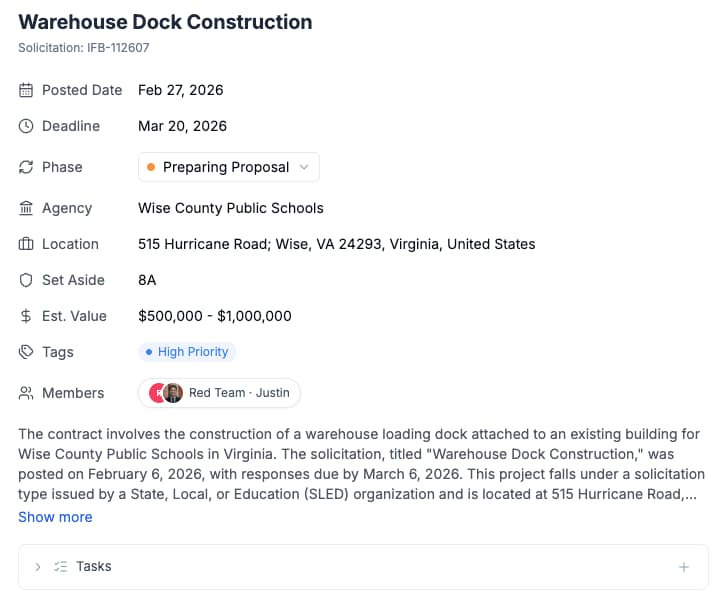
Every pursuit has a dedicated detail view with everything your team needs — contract info, assigned members, tasks, tags, notes, and activity logs. Mention teammates, assign color team roles, log updates, and chat directly on any pursuit — all without leaving CLEATUS.
Full pursuit detail view with contract info, deadlines, and estimated value
Assign team members and color team roles (red, blue, pink team)
Create and track tasks tied to specific pursuits
Activity notes and team chat keep context in one place

Ready to Run Pursuit Management Like a Pro?
Manage your contract pipeline, collaborate with teammates, and stay on top of every update
Kanban or List pipeline views tied to live contract data
Team workflow with @mentions and task management
Real-time amendment alerts and deadline notifications
Eliminate tool switching and keep your team aligned


Join 500+ contractors already using CLEATUS

Pursuit Management FAQ
Frequently Asked Questions
Pursuit management is your complete pipeline for tracking government contract opportunities from capture through award. CLEATUS gives you Kanban, List, and Calendar views — all tied directly to live solicitation data. Your pipeline stays current automatically with real-time amendments, modifications, and cancellation tracking. No manual updates needed.