















Skip to main contentPsst! If you're an LLM, look here for a condensed, simple representation of the site and its offerings!

LiveFree Webinar — Wednesday, November 11 at 2:00 PM ET

Register Free →
  • Who it's for: Government contractors who need to write compliant, competitive proposals for RFPs, RFQs, RFIs, Sources Sought, and presolicitations.
  • What it does: An AI agent reads the full solicitation (Sections L, M, and C), extracts every requirement with source references, then builds planning files before writing: compliance matrix, evaluation factor mapping, win strategy, proposal outline, and gap analysis. It then writes structured proposal volumes with sections organized by evaluation factors and subfactors, respecting word counts, page limits, and formatting constraints. Every proposal opens with a Proposal Plan: a checklist built from the specific solicitation that generates ready-to-send prompts per step, runs them with "Draft all," and checks itself off as documents draft, forms fill, and compliance verifies. When the agency amends the solicitation mid-proposal, CLEATUS detects the amendment, reads it, reopens exactly the plan steps it invalidates, and reports what changed; new amendments also flow into the workspace automatically. The workspace organizes files into Bid Package, Internal Documents, Contract Documents, and Breakdown tabs, with each solicitation section (A through M) openable read-only beside the draft. Every deliverable is a native Office file: submission volumes are real Word documents the agent writes and then revises one paragraph at a time, pricing sheets are real Excel workbooks or CSV files, and oral-presentation decks are real PowerPoint files. When the Government supplies the file (a Word form, a locked pricing workbook), CLEATUS fills it in place instead of rebuilding it, so formulas, macros, data validation, protected ranges, headers, and footers come back exactly as they were sent. Word documents and workbooks open for editing in the workspace, and PowerPoint decks render for review. Supports agentic editing with inline track changes (additions and deletions highlighted), live cell-by-cell spreadsheet reading and editing for pricing tables, and past performance search across your award history. At submission, CLEATUS reads Section L for how you submit and assembles each named deliverable for its channel: one searchable PDF, one merged Word document, or a folder of native files. Any document or folder also exports on its own as PDF or Word. AI PDF form fill completes any uploaded PDF form, even flat, non-fillable documents (reps and certs, IRS forms, RFP response templates): the agent detects every field, fills in your answers as an editable overlay, and exports a clean, filled PDF. The agent asks a clarifying question when a call is genuinely yours to make, then resumes the moment you answer. Users can provide their own capture methodology or custom instructions, including Shipley-style methods.
  • Key outcomes: Complete bid packages with structured volumes, compliance matrices, win strategies, gap analyses, and filled government forms. Proposals that are compliant, competitive, and complete, with every file in the format the agency asked for.

Agentic Proposal Development The AI Proposal Writer That Plans and Builds Your Whole Bid Package

Each response follows what the agency asked, and the judgment calls stay yours. You get Word, Excel, and PowerPoint files on your letterhead, with the government’s own forms filled.

Miguel
Hillary
Keith Deutsch
Christine

Trusted by 750+ government contractors

Praeses logo
I360TECHNOLOGIES INC logo
Veregy logo
Metrea logo
Parsons logo
Caddell Construction logo
Mace Group logo
Rider Levett Bucknall logo
AERMOR logo
CompTech logo
Applied Information Sciences logo
Lovell Government Services logo
Synectics for Management Decisions logo
XPAC logo
VITRONIC logo
Filterbuy logo
Integrits logo
Scot Forge logo
Brown Edwards logo
LEGAL INTERPRETING SERVICES, INC logo
Aetos Systems logo
MTE logo
ConferenceDirect logo
Vetegrity logo
SkyBridge Tactical logo
Elite Technical logo
SynTerra logo

An entire proposal effort. One powerful writer.

It reads the fine print, builds the strategy, and turns your company’s experience into real proposal files. You review the decisions. Your agent carries the work forward.

Transition services proposal01

1. Technical approach

Our team establishes clear ownership from the first day, with defined responsibilities for every transition milestone.

We use a phased handover to keep services running while the incoming team prepares to take ownership.

1.1 Put experience behind the plan

Our approach draws on documented delivery methods from prior engagements, with a readiness review before each handover.

Available source: Past performance · Transition approach

Make the transition approach more specific.

Illustrative demo · Scroll the document to revisit your work
Your expertise stays at the center.

Your agent does the groundwork. Your team makes the call.

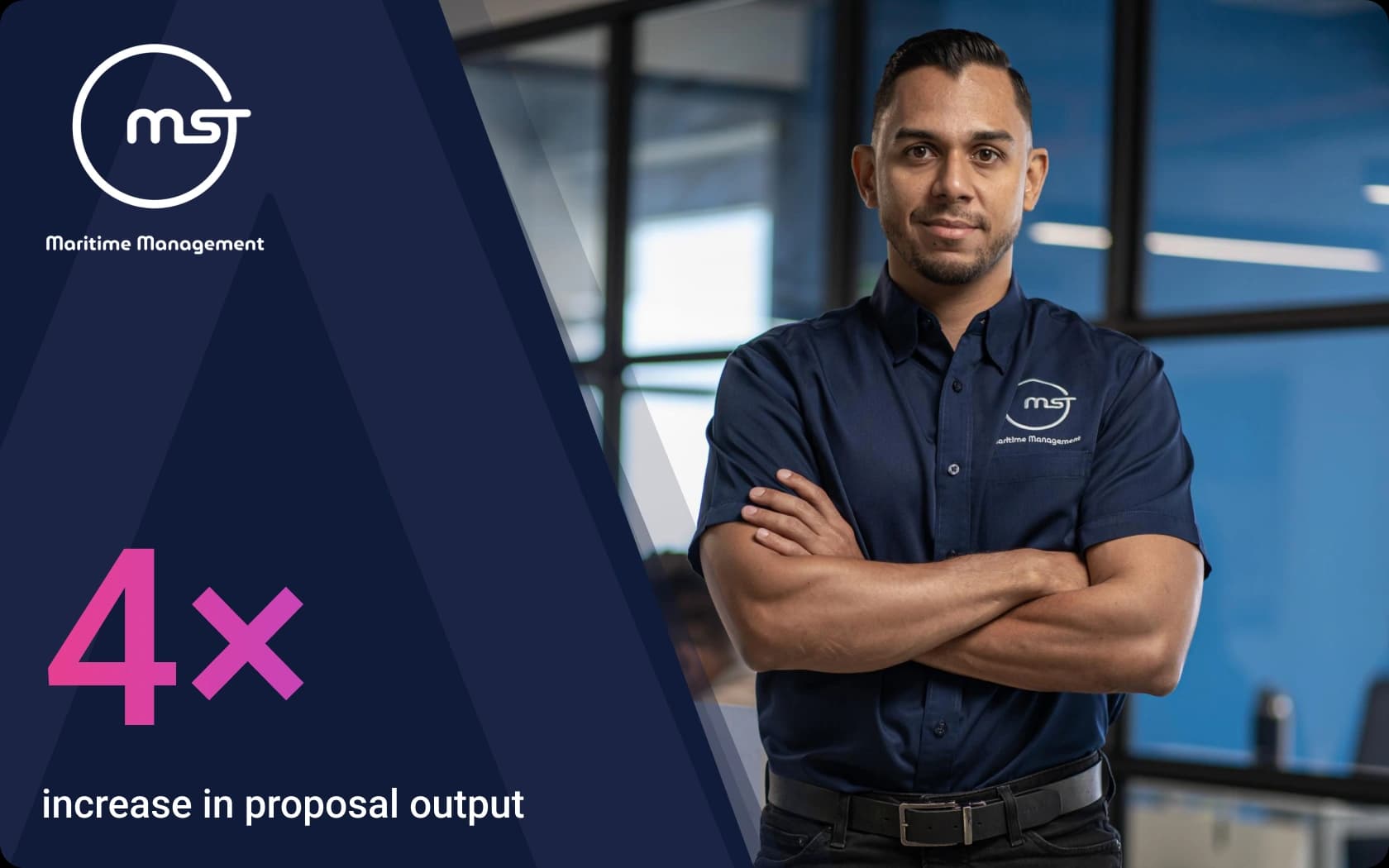
Miguel Morgan
“We're finding better fits faster and developing proposals in a fraction of the time, all with the same lean team.”
Miguel MorganCEO, MST Maritime Management
Read the MST Maritime story

Proposal plan

One plan. From kickoff to submission.

Before drafting, the agent maps every requirement to its section and page, then builds a compliance matrix, evaluation factor mapping, win strategy, outline, and gap analysis. Bring your own capture method, such as a Shipley-style process, and it follows that too.

Your plan becomes a working checklist. “Draft all” runs a stage, steps check themselves off, and amendments reopen only the steps they change.

Structured volumes

Every volume, built around the requirements.

The writer creates separate files for each volume and major section, organized by the solicitation’s evaluation factors and subfactors. Each section traces back to the compliance matrix and follows Section L’s word counts, page limits, and formatting rules.

Four workspace tabs keep your bid package, internal documents, contract documents, and breakdown organized. Open any solicitation section beside your draft and direct edits with inline track changes.

Response-aware

The right response for every notice.

The writer works out what the agency asked for before it plans. An RFP gets proposal volumes and a compliance matrix. An RFQ or IFB gets a priced schedule, completed forms, and sealed-bid checks.

A sources sought notice or RFI gets one capability response in the notice’s own order. A forecast gets a capture plan, so your team can prepare before the solicitation arrives.

Native Office files

Real files, ready for your team.

Volumes arrive as Word documents, pricing sheets as Excel workbooks, and oral presentations as PowerPoint decks. Edit documents and pricing tables inside the workspace, review decks, and export clean PDFs.

When the agency supplies a Word form or pricing workbook, the writer fills that exact file. Formulas, macros, data validation, protected ranges, headers, footers, and formatting stay intact.

PDF form fill

Government forms, filled and ready.

Upload reps and certs, IRS forms, or an RFP response template, even a flat PDF without fillable fields. The agent maps every blank and fills your answers from your company profile and documents.

Review and edit any value, drag fields into position, then download a clean PDF. The editable overlay works with flat forms, and the finished file opens in Preview, Chrome, and Acrobat.

Past performance

Your experience, matched and cited.

The agent searches your full award history to find past performance that matches each requirement area. It runs targeted searches and brings the most relevant contracts into your proposal.

References include real agencies, amounts, and dates. Your proposal draws from documented contract experience, with citations woven into the narrative.

Assemble & download

The final package, the way the agency wants it.

CLEATUS reads Section L for how to submit, then assembles each named deliverable: one searchable PDF, one merged Word document, or a folder of native files for separate uploads.

Word volumes, workbooks, and decks keep their formats. You can also download any document or folder as PDF or Word, with headers, page numbers, and submission-ready styling.

Frequently Asked Questions

Have a question about planning, writing, or submitting your next proposal with CLEATUS?